
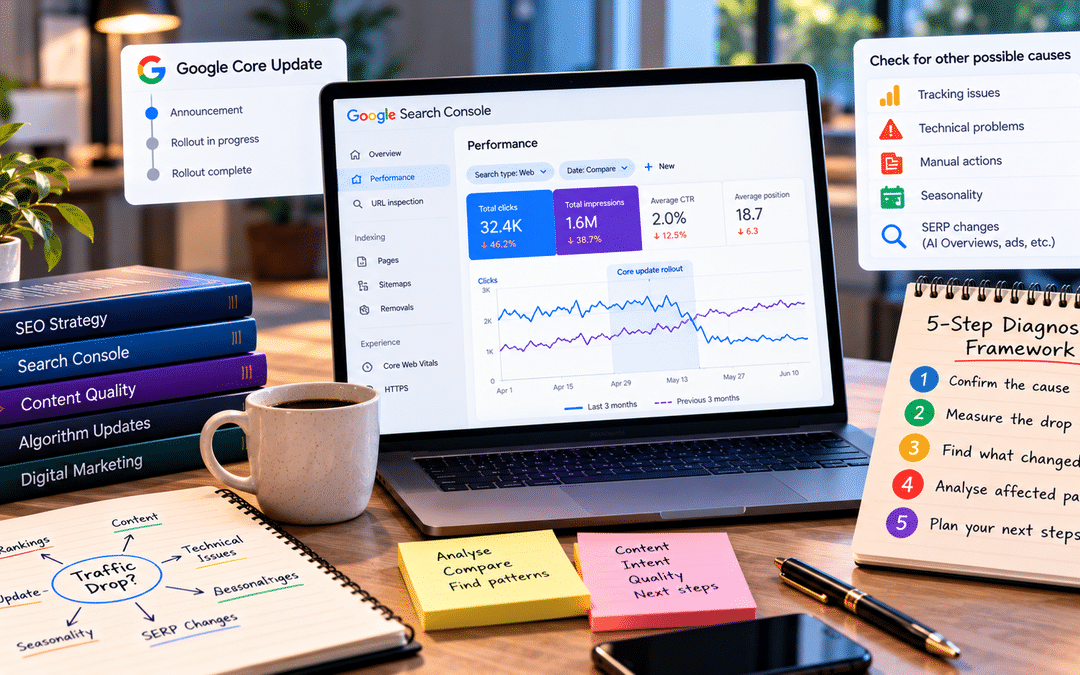
It usually starts with a message from the business owner: “Traffic has dropped. What happened?” Someone opens Search Console, sees a line falling off a cliff, checks the news, and finds that Google has just rolled out a core update.
What happens next often does more damage than the update itself. Pages get rewritten overnight. Old articles get deleted in bulk. Someone suggests buying links, or changing every title tag, or migrating to a new theme. Within a week, the site has changed so much that nobody can tell what worked, what didn’t, or whether the update even caused it.
A traffic drop after a core update isn’t a problem to fix immediately. It’s a question to answer first: what changed, where, and why?
This guide gives you a five-step framework for answering it. It’s written for SEO executives, in-house marketers, and site owners who already know their way around Search Console and want a structured way to diagnose a drop before deciding what to do. The steps work for any core update so that you can come back to this guide each time Google rolls one out.
What a core update is, and what it isn’t
Several times a year, Google makes broad changes to its ranking systems and announces them as core updates. Google’s core updates documentation explains that they’re designed to improve how its systems assess content overall. They don’t target specific sites or individual pages.
That last point shapes everything that follows. A core update is not a penalty. If your pages drop, it usually means Google’s systems now judge other pages to be more helpful or relevant for those searches. It doesn’t mean your site was flagged for breaking a rule. Spam updates and manual actions are different, and Step 1 explains how to tell them apart.
It also means there’s no single “fix”. Google doesn’t publish a checklist of what changed, and the SEO community’s theories after each update are educated guesses at best.
Google’s 2026 updates so far
As of early October 2026, these are the main confirmed updates this year. Check Google’s Search Status Dashboard for anything newer.
| Update | Rollout |
| December 2025 core update | December 11 to December 29, 2025 |
| February 2026 Discover core update | February 5 to February 27, 2026 (affected Google Discover, not regular Search) |
| March 2026 spam update | Late March 2026 |
| March 2026 core update | March 27 to April 8, 2026 |
| May 2026 core update | May 21 to June 2, 2026 |
| June and August 2026 spam updates | Summer 2026 |
| September 2026 spam update | Began September 24, 2026; took about two weeks |
Rollout dates for the core updates come from Search Engine Journal’s coverage of the Search Status Dashboard.
At the time of writing, the last broad core update was May’s. Industry watchers expect another before the end of the year, but nobody outside Google knows when. The framework below applies to whichever update you’re dealing with.
Step 1: Confirm the core update is actually the cause
The most expensive mistake is fixing the wrong problem. Many “core update drops” turn out to be something else that happened around the same time. Rule these out first.
Check the timing. Note the exact start and end dates of the update on the Search Status Dashboard. Did your drop begin inside that window? A decline that started two weeks earlier, or that’s been gradual for months, probably has another cause. Also check whether a spam update overlapped, as March 2026’s did.
Check whether it’s a tracking problem. If GA4 shows a drop but Search Console clicks are steady, the issue is almost certainly your analytics tag, not your rankings. Search Console data comes from Google’s side and doesn’t depend on your website’s code.
Check for technical problems. In Search Console, look at the Pages report for a rise in pages that aren’t indexed, and at Crawl stats for server errors. A stray noindex tag, a robots.txt change, a broken redirect after a redesign, or a hosting outage can all cause sudden drops. Ask your developer what changed on the site recently.
Check for a manual action. Open Security & Manual actions in Search Console. If there’s a manual action, it’s not a core update issue; follow the specific instructions to fix it and request a review.
Check seasonality and demand. Compare with the same period last year, and look at Google Trends for your main topics. An education site naturally drops after admission season; a gifting site after Diwali. If overall searches for your topic fell, your traffic would fall with them.
Check whether the results page changed. Search your most important queries. If your position is roughly the same but clicks fell, the cause may be an AI Overview, new ads, or other features pushing results down, rather than a ranking change.
Quick reference: symptom and likely cause
| What you see | Likely cause |
| GA4 down, Search Console steady | Tracking problem |
| Sudden drop to near zero on many pages | Technical issue or manual action |
| Drop matches last year’s pattern | Seasonality |
| Positions steady, impressions steady, clicks down | Results page changes, such as AI Overviews |
| Impressions and positions fall across many pages during the rollout window | Likely core update impact |
| Drop concentrated on pages with paid or manipulative links | Possibly a spam update or link devaluation |
If the evidence points to the core update, move to Step 2.
Step 2: Measure the drop properly in Search Console
Daily rankings swing wildly during a rollout. Conclusions drawn mid-update are often wrong, because pages can drop on day three and recover by day ten.
Use Google’s recommended comparison.
Google’s own guidance is specific: wait until the update has finished, then wait at least a full week more. Then compare that week with a week before the update started.
For the May 2026 core update, which ran from May 21 to June 2, that means comparing a week starting around June 9 against the week ending May 20.
In Search Console, open Performance > Search results, click the date filter, choose Compare, and set custom ranges for the two weeks. Use the same days of the week in both ranges, since weekday and weekend traffic often differ a lot.
Look at four numbers, not one
| Metric | What a fall suggests |
| Clicks | The business impact. This is what you lost. |
| Impressions | You’re appearing for fewer searches, or lower down where fewer people scroll. |
| Average position | Your rankings changed. Read this alongside impressions, because losing low-ranking queries can actually raise your average position. |
| CTR | People see you but click less, which points to results page changes or less compelling titles. |
Separate what should be separated.
Brand and non-brand queries. Use the query filter to exclude your brand name. Brand traffic rarely moves much in a core update, so including it can hide how badly non-brand rankings fell, or exaggerate the drop if brand demand happened to fall.
Search types. Check web, image,e and video results separately using the search type filter. Google Discover has its own report and its own core updates; don’t mix it into your web search analysis.
Countries and devices. If your audience is mainly Indian, filter to India. A drop in traffic from other countries may matter less to your business.
How big is the drop?
Google’s guidance distinguishes between small and large drops. If your pages slipped a few positions, from 2 to 4, for example, that’s normal fluctuation in a competitive space, and radical changes are likely to do more harm than good. If pages fell from the first page to the third or beyond, it’s worth a deeper assessment.
Export the page and query comparison to a spreadsheet before moving on. You’ll need it for Step 3.
Step 3: Find the pattern across pages and queries
A site-wide total hides the real story. This step identifies which pages and search types lost the most, because that’s where the explanation lies.
Sort pages by lost clicks
In your exported comparison, calculate the change in clicks for each page and sort from largest loss to smallest. On most sites, a small number of pages accounts for most of the loss. Those are the ones to study.
Group pages by type
Add a column labeling each page by type: service page, location page, blog post, category page, product page, tool, and so on. Then total the change for each group. Ask:
- Did one page type fall while others held steady?
- Did one topic cluster or category fall?
- Did older, rarely updated pages fall more than recent ones?
- Did pages produced quickly or at scale, such as templated location pages or mass-produced AI articles, fall more than carefully written ones?
Look at which queries were lost.
Repeat the exercise with queries. Group them by intent:
- Informational (“what is”, “how to”): often the most exposed to AI Overviews and forum results.
- Commercial (“best”, “vs”, “review”): sensitive to how much first-hand experience and evidence a page shows.
- Transactional and local (“course in Bangalore”, “near me”): often tied to the strength of service pages and Business Profiles.
What patterns often suggest
The table below lists hypotheses, not conclusions. Use them to decide what to investigate in Step 4.
| Pattern | Possible explanation to test |
| Losses spread evenly across the whole site | Google may be reassessing the site’s overall helpfulness or trust, not just individual pages |
| One section fell, others stable | Something about that content type, such as thin templates or outdated information |
| Mostly informational queries lost | Other sources, forums, or AI Overviews now satisfy those searches better |
| Old posts fell, recent ones held | Outdated information or content that hasn’t kept up with competitors |
| Pages targeting the same keyword all fell | Overlapping, competing pages that dilute each other |
| Pages with heavy ads or pop-ups fell | Poor page experience compared with competing results |
Write down the two or three patterns that explain the largest share of the loss. Everything after this focuses on them.
Step 4: Study what replaced you
A core update moves pages up as well as down. The pages that overtook yours are Google’s clearest signal of what it now prefers for those searches. Studying them is more useful than any theory about the update.
Search your most important lost queries.
Take the 10 to 20 queries that lost the most clicks. Search each one in a private browser window, ideally from your target location, and note what now ranks above you.
For each query, record:
| Question | What to note |
| Who ranks now? | Big brands, government or official sources, forums like Reddit and Quora, smaller expert sites, video |
| What format wins? | Long guides, short answers, comparison tables, tools, videos, listings |
| Has the intent shifted? | Did Google switch from guides to product pages, or from national to local results? |
| How does their depth compare? | Do they cover follow-up questions you don’t? |
| How fresh are they? | Are they updated with current prices, rules, or examples? |
| What evidence do they show? | Original data, photos, named experts, real experience |
| How usable are they? | Fast, clean, readable on mobile, or buried under ads? |
Look at your page through Google’s own questions.
Google’s guidance on creating helpful content includes a list of self-assessment questions. Paraphrased, they include:
- Does the page provide original information, research or analysis?
- Does it offer substantial value compared with other pages in the results?
- Does it show first-hand expertise or experience?
- Would a reader trust it, for example because the author or site is clearly knowledgeable?
- Was it created mainly to help people, or mainly to attract search traffic?
Answer them honestly for each of your affected pages, side by side with the pages that replaced them. Ask someone who didn’t write the content to do the same; authors are rarely objective about their own pages.
Separate what you can change from what you can’t
Some reasons for losing a position are within your control: thin content, outdated information, missing expertise, poor page experience. Others aren’t. If Google has decided that searchers want official sources, forum discussions, or videos for a query, a better blog post may not win it back. Recognizing this early saves months of wasted effort.
Step 5: Decide what to fix, improve, consolidate or leave alone
Now, with a clear diagnosis, it’s time to act. Every affected page should get one of four decisions.
| Decision | When it fits | What it means in practice |
| Improve | The page serves a real need, but competitors now do it better | Substantial changes: add first-hand experience, original data or examples, update outdated information, cover the questions the winners cover, improve readability |
| Consolidate | Several pages compete for the same topic, each weaker than one strong page would be | Merge the best parts into one page and 301-redirect the others to it |
| Remove or noindex | A page has no real value to users and no realistic way to provide it | Remove it (with a redirect if it has links or traffic) or keep it for users but out of the index |
| Leave alone | The drop is small, or Google now prefers a type of result you can’t reasonably be | Monitor; put effort into pages where improvement can make a difference |
Make improvements meaningful
Google’s documentation warns against quick fixes based on speculation, such as changing word counts, adding keywords, or removing page elements because someone online said it might help. Cosmetic edits rarely change how a page is assessed.
The changes that matter are the ones a reader would notice: better answers, more evidence, more expertise, clearer structure, current information. If you wouldn’t be proud to show the improved page to a customer, it probably isn’t improved enough.
Be careful with deletion.
Deleting large amounts of content after a drop is common and often regretted. Remove pages only after checking that they genuinely don’t help users, don’t attract useful traffic or links, and can’t be improved. When in doubt, improve or consolidate first.
Set realistic expectations
According to Google’s core updates documentation, some changes can take effect within a day. Still, it can take several months for its systems to recognize that a site consistently produces helpful content. Google also says the biggest recoveries often come with the next core update, though smaller, unannounced updates happen continuously and can reflect improvements in between.
Keep a dated log of every change you make, and which pages it affected. When rankings move again, the log is the only way to know what worked.
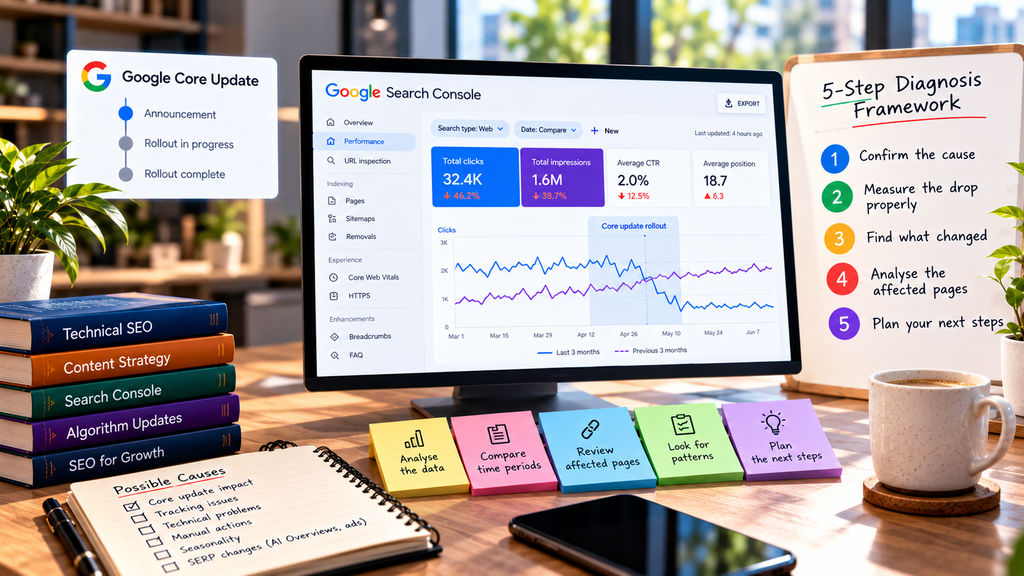
Worked example: an education website after the May 2026 update
This is a hypothetical example. The figures are illustrative.
The situation. A Bangalore-based coaching institute runs a website with service pages for its courses and around 400 blog posts on exams, careers, and study tips. In early June, the marketing executive reports that organic traffic is “down about 35%”. The owner wants to rewrite the entire blog.
Step 1: Confirm the cause. The drop began on May 23, inside the May 21 to June 2 rollout. GA4 and Search Console show the same decline, so it isn’t a tracking issue. There are no manual actions, indexing problems, or recent site changes. Last year’s data shows a smaller seasonal dip at this time, but nothing near 35%. The core update looks like the main cause.
Step 2: Measure properly. Comparing June 9–15 with May 14–20, filtered to India and excluding brand queries, non-brand clicks are down 41%. Brand clicks are almost unchanged. Course service pages lost little. The losses are concentrated in the blog.
Step 3: Find the pattern. Sorting pages by lost clicks reveals three groups:
- About 60 “exam date” and “syllabus” posts, many of them outdated and largely copied from official notices, account for over half the loss.
- Around 40 posts written two years ago from AI drafts with little editing, all following the same template, lost most of their traffic.
- A small set of detailed preparation guides, written by the institute’s senior faculty with real study plans and student examples, held steady or gained.
Step 4: Study the replacements. For exam-date queries, official exam board websites and major news publishers now rank first. For the templated posts, the new top results are more specific, with worked examples and clearly credited authors.
Step 5: Decide.
- Leave alone or consolidate: the exam-date posts. Official sources are now preferred for this information, which is reasonable. The best are merged into one regularly updated exam calendar page that links to official notices.
- Improve: the 20 templated posts on topics the institute genuinely teaches. Faculty rewrite them with their own methods, examples, and common student mistakes.
- Remove: the other 20 templated posts, on topics the institute doesn’t teach and can’t credibly cover, with redirects where relevant.
- Protect: the faculty-written guides that held up become the model for all future content.
Instead of rewriting 400 posts, the team acts on about 100, each for a specific reason. The changes are logged by date, and the team reviews results after the next core update.
The owner’s instinct to rewrite everything would have taken months and likely damaged the guides still performing well.
What not to do after a core update
Don’t make changes during the rollout. Rankings swing for days. Changes made mid-update make it impossible to tell what the update did and what you did.
Don’t change everything at once. Rewriting titles, restructuring navigation, deleting content, and switching themes in the same week destroys your ability to learn from the results.
Don’t chase surface metrics. Adjusting word counts, keyword density,y or the number of headings because a tool scored the winners higher rarely addresses why they won.
Don’t buy links or “recovery” services. Core updates aren’t link penalties, and manipulative links can create a real problem with Google’s spam systems.
Don’t trust confident explanations too early. In the days after every update, posts appear claiming to know exactly what Google changed. Google doesn’t publish those details. Treat these theories as ideas to test against your own data, not as facts.
Don’t assume a recovered competitor did one specific thing. Sites rise and fall for many overlapping reasons. Copying one visible change rarely copies the result.
Don’t neglect pages that held up. They show what Google currently values on your site. Protect them, learn from them,m and use them as the standard for new content.
Frequently asked questions
How do I know if a Google core update affected my site?
Check whether your traffic drop started during the update’s rollout dates on Google’s Search Status Dashboard. Then rule out other causes, such as tracking errors, technical issues, manual actions,s and seasonality, before attributing the drop to the update.
How long should I wait before analyzing a core update’s impact?
Google recommends waiting until the update has finished rolling out, then at least one more full week. Compare that week with a week before the update started.
Is a core update a penalty?
No. Core updates don’t target specific sites or pages. A drop usually means Google’s systems now judge other pages to be more helpful for those searches. Google handles penalties for breaking its rules through spam updates and manual actions, which work differently.
How long does it take to recover from a core update?
It varies. Google says some improvements can show within days, but it may take several months for its systems to recognize broader improvements, and the biggest changes often come with the next core update. Some sites don’t fully recover if Google now prefers a different kind of result.
Should I delete content that lost traffic?
Not automatically. Remove pages only if they genuinely don’t help users and can’t be improved. Often, improving or consolidating pages is the better choice.
What is the difference between a core update and a spam update?
A core update broadly reassesses how content is ranked. A spam update improves Google’s ability to detect content or links that violate its spam policies. A spam update drop is more likely linked to specific manipulative practices.
When is the next Google core update?
Google doesn’t announce core updates in advance. It typically releases several a year and lists them on the Search Status Dashboard when they begin.
How can I learn to diagnose SEO issues like this?
The best way is to analyze real Search Console data, ideally from a site you work on. At Web Marketing Academy, SEO training includes hands-on work with Search Console and site audits on live projects, which builds the habit of diagnosing problems from data rather than guesswork.
