
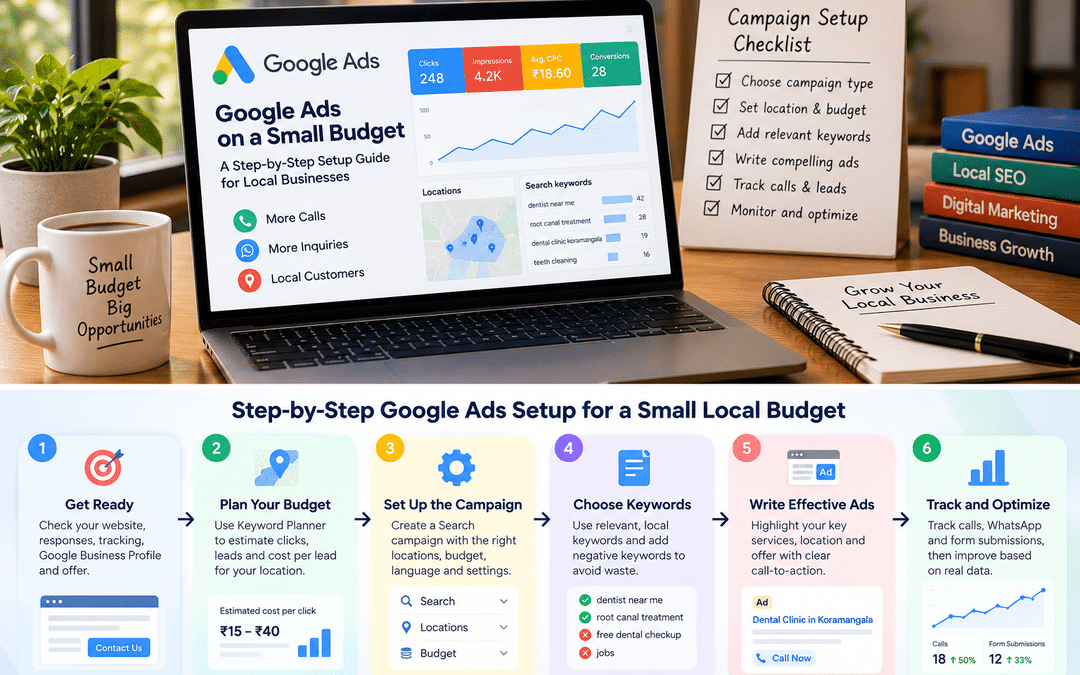
“We tried Google Ads. It didn’t work.” Local business owners say this often, usually after spending a few thousand rupees, getting clicks but no calls, and switching it off.
In most cases, Google Ads didn’t fail. The setup did. Ads showed across the whole city when the business serves three neighborhoods. They appeared on websites and apps nobody intended to see them. They ran at midnight when nobody answered the phone. Searches like “free”, “jobs” or “course” ate the budget. And because calls and WhatsApp messages weren’t tracked, nobody could tell what was working anyway.
A small budget leaves no room for these mistakes. A large advertiser can afford to waste a portion of spend while Google’s systems learn. A salon, clinic, repair service, or coaching center spending a modest amount each day can’t.
This guide walks through setting up a Google Ads Search campaign built for a small local budget: what to check before spending, which settings protect your money, how to choose keywords and write ads, how to track the leads that actually matter, and what to do in the first month. It’s written for local business owners and for junior marketers managing their first accounts.
A note on expectations. A small budget can bring a steady trickle of high-intent inquiries. It won’t dominate a competitive city-wide market, and it rarely produces dramatic results in the first week. The goal is to spend each rupee where the chance of a customer is highest, then grow from what works.
Before you spend: readiness checks and budget maths
Five checks before launching
Advertising amplifies whatever happens after the click. If that part is broken, more traffic only means more waste.
- A landing page that converts. Ideally a page for the specific service you’re advertising, with a clear phone number, WhatsApp button, and short inquiry form near the top, and working well on mobile.
- Someone answers. Calls and WhatsApp messages need replies during the hours your ads run. A missed call from an ad is money spent for nothing.
- Tracking in place. You need to count calls, WhatsApp clicks, and form submissions before you launch, not after. Section 7 covers how.
- A complete Google Business Profile. Location assets in your ads pull from it, and many people check your reviews before calling.
- A clear offer. Why should someone choose you? A free consultation, same-day service, transparent pricing, or a specific specialty gives your ads something to say.
How Google Ads budgets work
You set an average daily budget for each campaign. According to Google’s help documentation, your actual spend on any single day can be up to twice that amount, to take advantage of busier days. Over a month, though, you won’t be charged more than 30.4 times your average daily budget, the average number of days in a month.
So a daily budget of ₹500 means a monthly limit of about ₹15,200. Plan around the monthly figure, and expect day-to-day spend to vary.
Remember to account for taxes. Google’s invoices for Indian advertisers typically include GST on top of ad spend, so check how it applies to your account and billing setup.
Estimate what your budget can buy
Before launching, do a quick calculation using Google Keyword Planner, which shows a typical cost-per-click range for your keywords in your location.
| Step | Calculation |
| Estimated cost per click | From Keyword Planner’s “top of page bid” range for your main keywords |
| Clicks per day | Daily budget ÷ cost per click |
| Expected leads per day | Clicks × an assumed conversion rate (start cautiously; you’ll replace it with real data) |
| Cost per lead | Daily budget ÷ expected leads |
| Is it worth it? | Compare cost per lead with what a customer is worth to you |
If your budget buys only two or three clicks a day for your main keywords, you’ll learn very slowly. In that case, narrow the focus: fewer services, a smaller area, or fewer hours, so you get enough clicks in one place to see what works.
Choosing the right campaign type
Google offers several campaign types. On a small local budget, the choice is usually simple.
| Campaign type | Where ads show | Fit for a small local budget |
| Search | Google search results, for people actively searching | Best starting point. High intent, clear control over keywords, locations, and hours |
| Performance Max | Search, Maps, YouTube, Display, Gmail and Discover, chosen by Google | Usually better once you have steady conversion data; harder to control on a small budget |
| Display | Websites and apps across the web | Rarely suits small lead-generation budgets; better for awareness or remarketing |
| Video (YouTube) | YouTube | Useful for awareness; not a first campaign for lead generation |
The reason Search wins is intent. Someone typing “AC service near Marathahalli” needs an AC serviced. A person scrolling YouTube may not need anything. When every rupee counts, start where demand already exists.
Performance Max and other heavily automated options work best when Google’s systems have plenty of conversion data to learn from. A new account with a small budget doesn’t have that yet. Many practitioners start small accounts with a well-structured Search campaign and consider Performance Max later, once tracking is reliable and conversions are flowing.
Google may also suggest simplified campaign options when you first sign up. They’re quick to set up but give you less control over where your money goes. If you plan to manage the account properly, switch to expert mode and build a standard Search campaign.
Campaign settings that protect a small budget
Most budget waste in small accounts comes from default settings nobody changed. Go through each of these when creating your Search campaign. Google updates the interface often, so that labels may differ slightly.
Networks
Search campaigns can include the Display Network, which shows text ads on websites and apps. For a small lead-generation budget, untick it. Consider unticking Search partners at first as well, so you can judge Google Search performance on its own; you can test partners later.
Locations
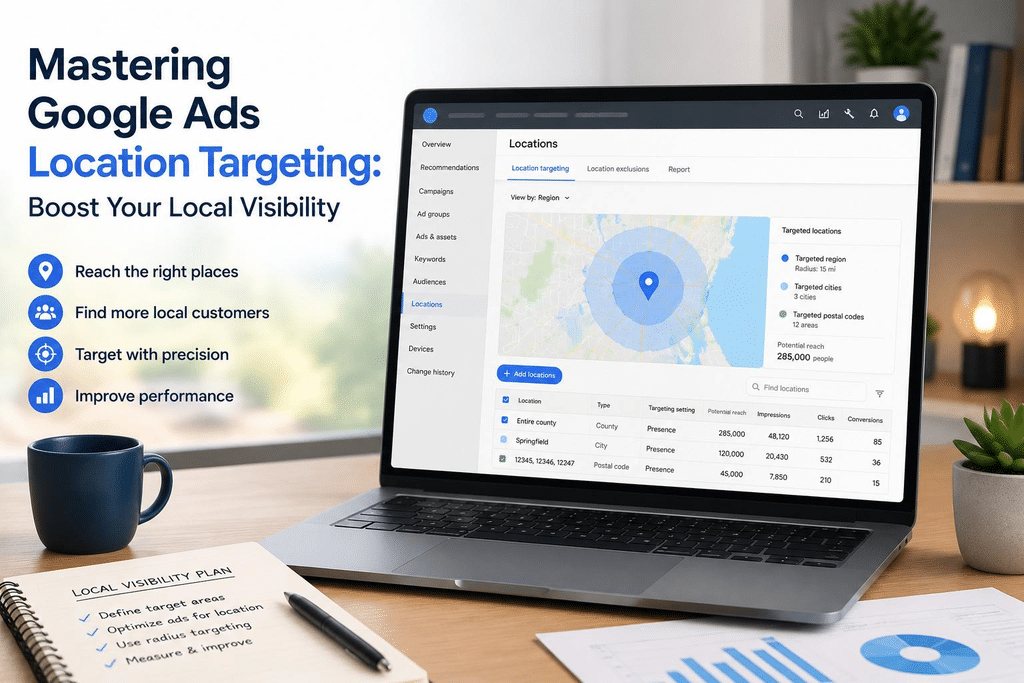
Target only the areas you genuinely serve. Instead of all of Bangalore, use a radius around your business or select specific localities and PIN codes.
Then open the location options. The default often includes people who are only interested in your location so that it can show ads to people elsewhere. For most local services, choose the option to reach people in or regularly in your targeted locations.
Languages
The language setting targets the languages people use for Google, not the language of your ads. Most Indian users set Google to English, but if your customers search in Hindi, Kannada, or other languages, add those too.
Ad schedule
Run ads when someone can answer the phone and reply on WhatsApp. If your clinic closes at 8 pm, ads running at midnight mostly produce missed calls. After a few weeks, you can adjust based on which hours produce leads.
Bidding
A new account has no conversion history, so fully automated conversion bidding has little to learn from. A common approach for small accounts:
- Start with Maximize clicks, with a maximum cost-per-click limit based on your Keyword Planner research, or manual CPC if you’re comfortable managing bids.
- Switch to Maximize conversions once your tracking is reliable, and the campaign is recording conversions regularly.
AI Max and automated features
Google now turns on AI Max by default for new Search campaigns. It expands the searches your ads match and can change landing pages and ad text. On a small, tightly targeted budget, many advertisers prefer to start with these features limited or off, then test them once the basics work. Whatever you choose, make it a deliberate decision.
Also check auto-apply recommendations in your account settings. Some recommendations can increase budgets or broaden targeting automatically. Review recommendations manually instead.
Keywords, negative keywords and ad groups
Choose high-intent keywords
On a small budget, bid on searches that signal someone is ready to act, not just curious.
| Intent level | Example searches | Priority on a small budget |
| High: ready to act | “AC repair near me”, “AC service Marathahalli”, “AC gas refill cost” | Start here |
| Medium: comparing | “best AC service company Bangalore”, “AC service charges” | Add once the high-intent group works |
| Low: researching | “why is my AC not cooling”, “how to clean AC filter” | Usually skip for ads; better for blog content |
Use your own customers’ language. If people call asking for “AC servicing” rather than “air conditioner maintenance”, bid on what they say.
Use match types deliberately.
Phrase and exact match give tighter control, which suits small budgets. Broad match can find valuable searches you didn’t think of, but it can also spend quickly on loosely related ones. A common approach is to start with phrase and exact match for core services, then test broad match later with close monitoring and strong negatives.
Build a negative keyword list before launching.g
Negative keywords stop ads from showing for searches you don’t want. Start with a shared list covering common waste:
- Jobs and training: jobs, vacancy, salary, career, course, training, internship
- Free and DIY: free, DIY, how to, tutorial, YouTube, PDF
- Wrong services: services you don’t offer, such as “AC installation” if you only do repairs
- Wrong locations: areas or cities you don’t serve
- Research-only words: meaning, definition, images, ideas (depending on your business)
After launch, the search terms report shows exactly what people searched before clicking. Review it every few days in the first weeks and keep adding negatives.
Keep ad groups tight.
Group keywords by service, so each ad group has closely related keywords, its own ads, and its own landing page. For example, an AC service business might have separate ad groups for “AC repair”, “AC servicing,” and “AC gas refill”. This keeps ads relevant to the search, which tends to improve click-through rate and Quality Score.
With a small budget, don’t create too many ad groups or campaigns. Two to four focused ad groups in one campaign is often enough to start.
Ads and assets that win local clicks
Write responsive search ads for local searchers
Search campaigns use responsive search ads. You provide several headlines and descriptions, and Google tests combinations. Give it useful variety:
- The service and the area: “AC Repair in Marathahalli”, “AC Service Across East Bangalore”
- Speed or convenience: “Same-Day Technician Visit”, “Open 7 Days a Week”
- Proof: “4.7★ from 300+ Google Reviews” (only if true; keep it current)
- Price clarity: “Service Visit From ₹499” (only if accurate)
- A clear call to action: “Call or WhatsApp to Book”
The examples are illustrative. Only use claims you can back up, and avoid words like “best” or “guaranteed” unless you can substantiate them. Some categories, such as healthcare, finance, and education, have additional Google Ads policies; check them before writing.
Add assets that matter for local businesses.
Assets (previously called extensions) add extra information to your ads. They make ads larger and more useful, and they don’t cost extra on their own; you still pay only for clicks and calls.
| Asset | What it does | Why it matters locally |
| Call asset | Shows your phone number or a call button | Many local customers would rather call than fill in a form, especially on mobile |
| Location asset | Shows your address and distance, linked from your Google Business Profile | Builds trust and helps “near me” searchers |
| Sitelinks | Links to specific pages, such as pricing, service, or reviews | Lets people jump to what they care about |
| Callouts | Short phrases like “Certified Technicians” or “Free Inspection” | Adds reasons to choose you |
| Structured snippets | Lists of services or types | Shows your range quickly |
Set the call asset to show only during business hours, so people don’t call a closed office.
Match the ad to the page.
If the ad says “AC gas refill”, the landing page should be about AC gas refills, with the price or price range, what’s included, and a way to book. Sending everyone to the homepage is one of the most common causes of wasted clicks.
Tracking calls, WhatsApp, and forms as conversions
Without conversion tracking, you can only judge ads by clicks, and clicks don’t pay the rent. For local businesses, this matters even more because most leads come in by phone or WhatsApp, not forms.
Track each way a customer can contact you:
| Lead type | How to track it |
| Calls directly from the ad (call asset) | Set up a “calls from ads” conversion action in Google Ads. Call reporting features vary by country, so check what’s available for your account. |
| Calls from your website | Track taps on your phone number link as a conversion, using Google Tag Manager or a GA4 key event imported into Google Ads |
| WhatsApp clicks | Track clicks on your WhatsApp button (links to wa.me or api.whatsapp.com) as a GA4 key event, then import it into Google Ads |
| Form submissions | Track the thank-you page that loads after a successful submission |
Our GA4 for Beginners guide walks through setting up form, WhatsApp, and call-click events step by step. Once they’re key events in GA4, link GA4 to Google Ads and import them as conversions.
Decide what counts
In Google Ads, mark the conversions you genuinely want as primary, so bidding optimizes towards them. Keep softer signals, such as page views or brochure downloads, as secondary or out of the conversion count altogether.
Close the loop with real outcomes.
A tap on your phone number isn’t a customer. Keep a simple sheet, or use your CRM, to note each lead’s source and whether it became a booking. Ask every new customer how they found you. After a month, compare the leads Google Ads reports with the bookings you actually received. That’s the number that tells you whether the campaign is worth continuing.
The first 30 days: a weekly routine
The first month is about learning and cutting waste, not judging the channel. Avoid making big changes every day; small accounts need time to collect enough data. A simple rhythm works well.
| When | What to do |
| Day 1 to 3 | Confirm ads are approved and showing. Make a test call and a test WhatsApp click, and check that conversions are recorded. Check the search terms report and add obvious negatives. |
| Week 1 | Review search terms every two or three days. Check that spend is in the right areas and hours. Note which keywords get impressions but no clicks. |
| Week 2 | Pause keywords that spend without any leads or relevant clicks. Check which ads and headlines get the best click-through rate. Make sure calls are being answered. |
| Week 3 | Compare ad groups by cost per lead. Shift budget towards what’s working, if the campaign is limited by budget. Review the landing page for each ad group. |
| Week 4 | Compare tracked leads with actual bookings. Adjust the ad schedule and locations based on where leads come from. Decide what to test next month. |
Questions to ask at the end of the month
- How many leads did the campaign produce, and how many became customers?
- What was the real cost per customer, not just per lead?
- Which services, areas, and hours produced the best leads?
- Which searches wasted money, and are they now excluded?
- Is the budget being used up early each day? If so, is that limiting good results?
If the numbers are promising, increase the budget gradually rather than doubling it overnight. If they aren’t, check the setup, the landing page, and lead handling before blaming the channel.
Worked example: a physiotherapy clinic in HSR Layout
This is a hypothetical example. The figures are illustrative, not benchmarks; costs vary widely by category, area, and competition.
The business. A two-physiotherapist clinic in HSR Layout wants more patients for back pain, sports injuries, and post-surgery rehabilitation. It can spend about ₹600 a day, or roughly ₹18,240 per month.
Budget maths. Keyword Planner suggests typical costs of roughly ₹30 to ₹55 per click for its main searches. At around ₹40 per click, ₹600 a day buys about 15 clicks. If 7% of clicks become leads, that’s about one lead a day. Enough to learn from, if the budget isn’t spread thin.
Setup decisions:
- One Search campaign with three ad groups: back pain treatment, sports injury physiotherapy, and post-surgery physiotherapy
- A 4 km radius around the clinic, set to people in or regularly in the area
- Ads running 8 am to 8 pm, Monday to Saturday, matching clinic hours
- Display Network and Search partners off; AI Max’s search term matching and URL expansion off for the first month
- Phrase and exact match keywords, with a negative list including “course”, “jobs”, “salary”, “exercises PDF,” and “home remedies”
- Separate landing pages for each service, with call and WhatsApp buttons at the top
- Call asset, location asset, sitelinks to pricing and the team page
- Tracking for calls from ads, website call clicks, WhatsApp clicks, and form submissions
Week 1 problems. The search terms report shows clicks for “physiotherapy course Bangalore” and “physiotherapist salary”, missed by the initial list. Location reports show some clicks from Electronic City, outside the radius, because one setting was left at the default. Both are fixed.
End of month one:
| Metric | Result |
| Spend | About ₹18,000 |
| Clicks | 420 |
| Tracked leads | 31 (17 calls, 10 WhatsApp, 4 forms) |
| Booked first appointments | 14 |
| Cost per lead | About ₹580 |
| Cost per booked patient | About ₹1,290 |
The sports injury ad group brings the most bookings at the lowest cost, and evenings convert better than mornings. For month two, the clinic shifts more budget towards sports injuries and evenings, and starts testing broad match in that ad group, with close review of search terms.
Whether ₹1,290 per new patient is good depends on what a patient is worth to the clinic over a course of treatment. That’s the comparison every small business needs to make.
Common mistakes
Targeting the whole city. A business that serves a few neighborhoods pays for clicks it can’t convert. Target only the areas you serve.
Leaving location set to “interest”. People outside your area who merely search about it can see your ads. Choose people in or regularly in your locations.
Keep the Display Network on in Search campaigns. It can quietly spend a small budget on low-intent placements.
No negative keywords. Job seekers, students, and DIY searchers can use up a meaningful share of a small budget in the first week.
Sending every ad to the homepage. Visitors have to hunt for what they searched for, and many leave.
Not tracking calls and WhatsApp. For local businesses, these are often most of the leads. Without tracking, the campaign looks worse than it is, or you optimize towards the wrong thing.
Running ads when nobody answers. Schedule ads for the hours you can respond.
Spreading the budget too thin. Ten services, five campaigns, and a small budget means none of them gets enough clicks to learn from. Focus first.
Accepting every recommendation. Some Google recommendations suit large advertisers better than small local ones. Review each one against your goals.
Giving up after a week. Small accounts need time to collect data. Judge after a month of properly tracked results, not after the first few days.
Frequently asked questions
What is the minimum budget for Google Ads in India?
Google doesn’t set a fixed minimum for most campaigns; you choose your own average daily budget. The practical minimum depends on your cost per click: you need enough budget for a meaningful number of clicks each day to learn what works. Use Keyword Planner to estimate costs for your keywords and area.
Can Google Ads spend more than my daily budget?
Yes, on some days. Google says spend can reach up to twice your average daily budget on a given day, but your monthly charge won’t exceed 30.4 times your daily budget.
Is Google Ads worth it for a small local business?
It can be, especially for services people search for when they need them, such as repairs, clinics, coaching, and home services. It works best with a focused setup, a good landing page, prompt responses to inquiries, and proper tracking.
Should a small business use Performance Max or Search campaigns?
Most small local businesses do better starting with Search, which targets people actively searching and gives more control. Performance Max tends to work better once you have reliable conversion tracking and steady conversion data.
How long before Google Ads shows results?
Ads can bring clicks and calls within hours of approval. But give a new campaign about a month of properly tracked data before judging whether it’s profitable.
Should I run ads in the evenings and on weekends?
Only if someone can respond; start with your business hours, then adjust based on when leads actually come in.
Do I need an agency to run Google Ads?
Not necessarily. A small, focused campaign can be managed in-house if someone has the time to set it up carefully and review it weekly. An experienced agency or freelancer can help if you lack time or the account grows.
Where can I learn to run Google Ads hands-on?
Google’s free Skillshop courses cover the platform’s features. At Web Marketing Academy, we teach Google Ads through hands-on campaign work on live projects, including setup, tracking, and optimization.
