
For two years, site owners asked the same question about Google’s AI Overviews: “Are my pages actually showing up in them?” No one had an official way to know. People relied on manual searches, screenshots, and third-party tools that guessed.
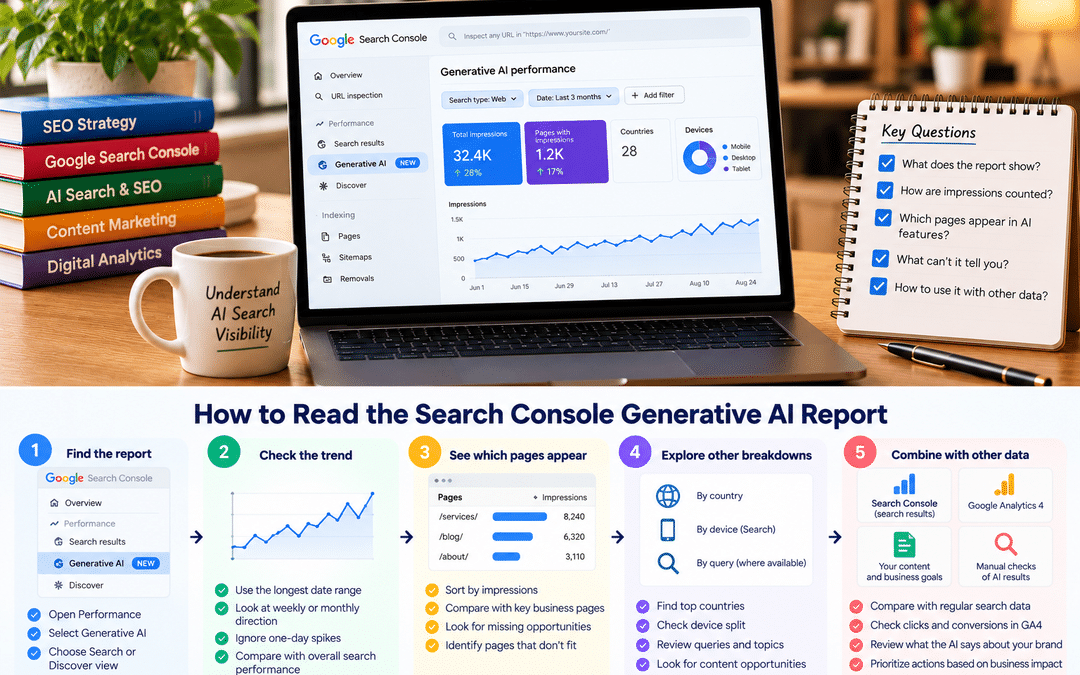
Google has now answered part of that question. Search Console includes a generative AI performance report that shows how often your pages appear in AI Overviews and AI Mode. It’s the first official, first-party data on AI search visibility from Google.
It’s also easy to misread. The report shows less than many people assume, and some numbers mean something different than the same numbers in the regular Performance report. Treating it like a ranking report, or celebrating a spike without context, leads to the wrong conclusions.
This guide explains what the report shows, how its numbers are counted, how to read it step by step, what it can’t tell you, and how to combine it with other data for a realistic picture of AI search visibility. It’s written for SEO practitioners, in-house marketers, and site owners who already use Search Console.
What the report is and where to find it
Google launched the Search generative AI performance reports on June 3, 2026, initially for a subset of sites, and made them available worldwide on August 31, 2026.
There are two views:
- Search: impressions in AI Overviews and AI Mode
- Discover: impressions in generative AI features within Google Discover
You’ll find them in the Performance section of Search Console, alongside the regular Search results report. If you can’t see them, check that you’re looking at a property you own and that the site has received impressions in these features.
What’s in the report, and what isn’t
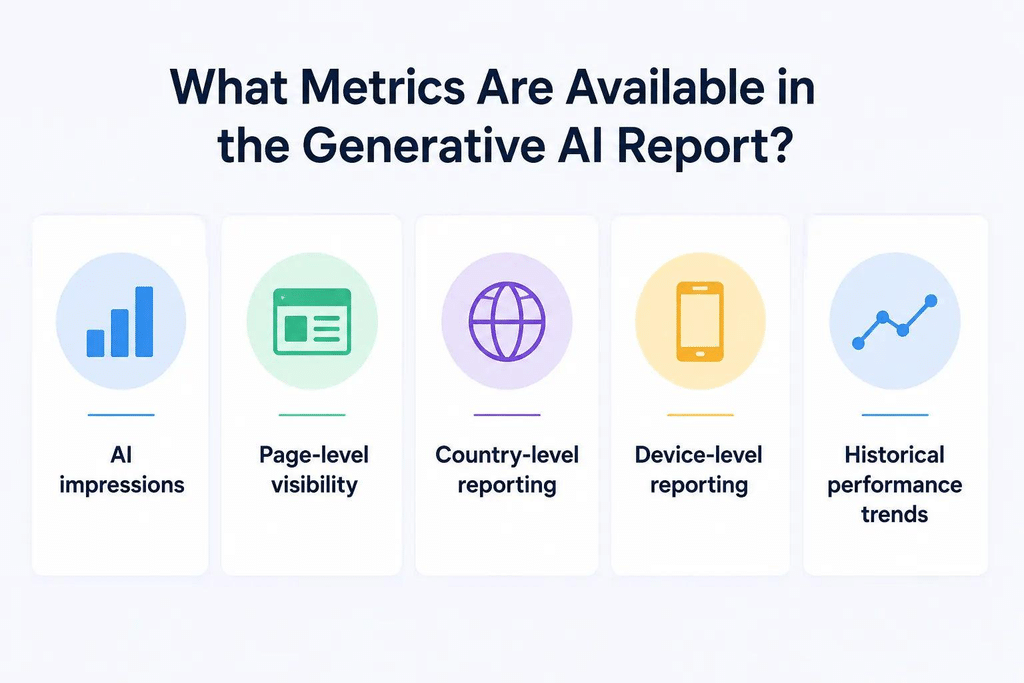
| Included | Not included |
| Impressions in generative AI features | Clicks |
| Breakdown by page | Click-through rate |
| Breakdown by country | Average position |
| Breakdown by device (Search view only) | A separate figure for AI Overviews versus AI Mode |
| Trends over time | Data on ChatGPT, Copilot, Gemini app, or any non-Google AI tool |
Coverage of which further breakdowns are available varies, and Google may add features. Check your own report for the current options.
It’s a subset of data you already had
One point is easy to miss. AI Overview and AI Mode impressions were already counted in the Web search totals of the main Performance report, and they still are. The new report separates that portion; it doesn’t add new impressions on top.
So if your main Performance report shows 400,000 Web search impressions for a month and the generative AI report shows 30,000, the 30,000 are part of the 400,000, not in addition to them.
How impressions are counted
Understanding the counting rules is what separates a useful reading of this report from a misleading one.
An impression means a link was shown. Google’s help documentation, as quoted by TechWyse, defines an impression as a time when links to your site were shown to a user in a generative AI feature on Google Search. Google’s John Mueller has clarified that this also covers links shown in combined cards, clustered results, and collapsed link panels.
Being used without a visible link doesn’t count. If Google’s AI drew on your content but didn’t show a link to your site, there’s no impression. According to coverage of Google’s clarification, an impression requires a visible link to your page.
Several links from your site in one answer count once. If two results from the same site appear in one AI feature, the documentation says they count as a single impression in the chart total.
What an impression doesn’t tell you
An impression is a modest signal. It doesn’t mean:
- That someone read or noticed your link. A source link may sit in a collapsed panel or below a long answer.
- That your content was quoted or prominently featured; one AI Overview can link to many sites.
- That anyone clicked. Clicks aren’t in this report.
- That the answer described your business accurately: the report shows presence, not what was said.
Think of an AI impression as “your site was offered as a source to someone”. It’s useful for tracking whether your visibility in AI features is growing or shrinking, but not for judging business impact on its own.
How to read the report, step by step
Step 1: Look at the trend, not the day
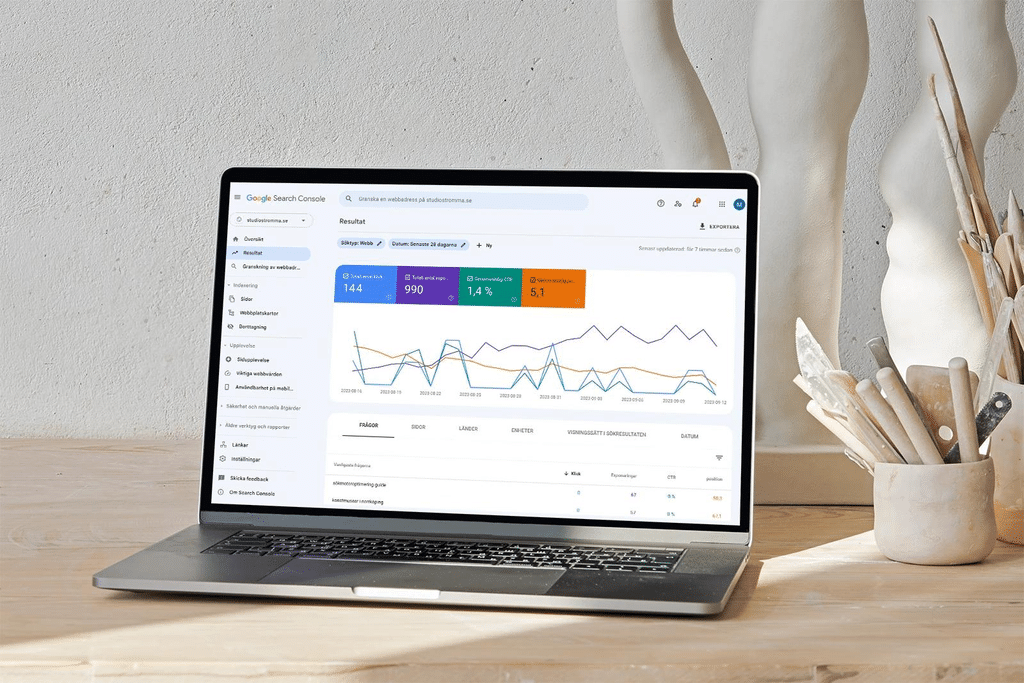
Open the Search view and set the longest date range available. Data may only go back to when the report became available for your property, so early history can be short.
AI features change often, and daily numbers swing. Look at weekly or monthly direction: is your AI visibility growing, stable, or falling?
Step 2: See which pages earn AI impressions
Open the pages breakdown and sort by impressions. Then compare the list with the pages that matter most to your business.
The two lists often don’t match. Informational blog posts may collect most AI impressions while service pages collect few. That isn’t necessarily a problem, but it tells you where AI search exposes your brand.
Step 3: Work out the AI share for key pages
For each important page, compare its AI impressions with its total Web search impressions in the main Performance report over the same dates.
| Page | Web search impressions (main report) | AI impressions (generative AI report) | AI share |
| Example: a guide page | 20,000 | 6,000 | 30% |
A high AI share means a large part of the page’s visibility now happens inside AI answers.
Step 4: Compare AI impressions with clicks
The generative AI report has no clicks, but the main Performance report does. Pull clicks for the same pages and dates. Following an approach suggested in LLM Pulse’s guide, build two lists:
- Pages with rising AI impressions and falling clicks. People may be getting answers without visiting. Consider whether the page offers a reason to click, such as tools, detailed examples, pricing, or next steps.
- Pages with strong AI impressions and a weak path to conversion. Visitors who do arrive may not find an obvious next step.
Step 5: Filter by country and device
If your business serves India, filter to India so global impressions don’t distort the picture. Compare mobile and desktop, since AI features can appear differently on each.
Step 6: Annotate and log monthly
Note dates of Google updates, major content changes, and site changes alongside the data. Then keep a simple monthly log for your ten most important pages: AI impressions, Web search impressions,s and clicks. After a few months, that log is far more useful than any single screenshot of the report.
What the report can’t tell you
The gaps in this report matter as much as what it shows. Here are the questions people commonly expect it to answer, and where to look instead.
| Question | Can this report answer it? | Where to look instead |
| How many clicks came from AI Overviews and AI Mode? | No | Not available separately. These clicks are included in the main Performance report’s Web search totals, and in GA4 they appear as Organic Search |
| Did AI visitors become customers? | No | GA4 key events and your CRM, though AI Overview visitors can’t be separated from other organic visitors |
| Which searches triggered my AI impressions? | Not according to most coverage of the report | The main Performance report’s queries, plus manual searches |
| Was it AI Overviews or AI Mode? | No; the two are combined | Manual checks |
| Where in the answer did my link appear? | No | Manual checks |
| What did the AI say about my business? | No | Manual checks; see our AI visibility audit guide |
| How do I compare with competitors? | No | Manual checks or third-party tools, treated as estimates |
| How visible am I in ChatGPT, Copilot, or the Gemini app? | No | Bing Webmaster Tools for Copilot; GA4’s AI Assistant channel for visits; manual audits |
| Did AI features reduce my clicks? | Not directly | Compare clicks, impressions, and AI share over time, with caution |
The last point deserves care. If clicks fall while AI impressions rise, it’s tempting to conclude that AI Overviews took the traffic. That may be true, but seasonality, ranking changes, competitors, and other result features can cause the same pattern. Treat it as a hypothesis to investigate, not a conclusion.
Pairing it with GA4, Bing,g and manual checks
No single report shows AI search performance completely. Combining four sources gives a much more realistic picture.
| Source | What it adds |
| Search Console: generative AI report | How often Google’s AI features show links to your pages |
| Search Console: main Performance report | Clicks, queries and positions, including AI feature traffic within Web search totals |
| GA4 | What visitors do on your site. Its AI Assistant channel, added in May 2026, groups visits from recognized AI assistants such as ChatGPT and Gemini. Clicks from AI Overviews and AI Mode count as Organic Search instead |
| Bing Webmaster Tools: AI Performance | Which pages Microsoft Copilot and Bing’s AI answers cite, and the queries behind those citations |
| Manual checks | What AI answers actually say, which sources they cite, and how competitors appear |
A simple monthly routine
- Note AI impressions for your key pages from the generative AI report.
- Note Web search impressions and clicks for the same pages from the main report.
- Check GA4 for organic and AI Assistant traffic and key events.
- Check Bing’s AI Performance report for Copilot citations.
- Run a fixed set of prompts in AI Overviews, AI Mode, and other assistants, and record what you see.
This takes an hour or two a month for a small site. Our GA4 for Beginners guide explains the AI Assistant channel, and the AI visibility audit guide covers manual checks in detail.
The generative AI control: should you opt out?
Alongside the report, Google added a setting that lets site owners decide whether their site appears in Google’s generative AI Search features.
How it works
- Where: in Search Console under Settings, in a section labeled “Search generative AI”. It currently applies at the domain level.
- What it does: Google’s announcement, as reported by 9to5Google, says sites that opt out won’t receive traffic or impressions from AI Overviews, AI Mode, or AI Overviews in Discover, but will otherwise continue to appear in regular Search and the Discover feed.
- Effect on rankings: Google says the control won’t be used as a ranking signal for regular search results.
- What it doesn’t cover: The setting applies to Google Search products; the Gemini app is excluded. It’s also separate from Google-Extended, which controls whether content can be used to train Google’s AI models.
Before this control existed, the main way to keep content out of AI answers was the nosnippet directive, which also removed preview text from regular results. The new toggle avoids that trade-off.
Should you use it?
For most businesses, probably not, at least not without evidence.
| Your situation | Likely approach |
| Local service business, B2B company, training institute or e-commerce store | Usually stay in. Being cited in AI answers adds visibility, and many inquiries come from people who later search your brand or visit directly |
| Publisher whose revenue depends on page visits, such as news, recipes or reference content | Consider carefully. Compare AI impressions, clicks and revenue before and after any change |
| Concerned about how your content is used in AI answers | Weigh that against losing AI visibility; the control doesn’t affect other AI companies’ use of your content |
If you’re considering opting out, collect at least a few months of data from the report first. Then change one thing at a time and watch both regular search and overall traffic closely.
Worked example: a Bangalore training institute
This is a hypothetical example. The figures are illustrative.
The site. A data analytics training institute in Koramangala publishes course pages and a library of free guides. The marketing manager opens the generative AI report for the first time in October 2026.
What the report shows for September 2026 (India only):
| Page | Web search impressions | AI impressions | AI share | Clicks vs previous month |
| “What is data analytics?” guide | 16,000 | 6,500 | About 41% | Down 25% |
| SQL interview questions guide | 21,000 | 4,200 | 20% | Stable |
| Data analytics course page | 15,000 | 300 | 2% | Up 5% |
| Whole site | 210,000 | 18,000 | About 9% | Down 6% |
Reading it carefully:
- AI exposure is concentrated on informational guides. That’s typical: AI Overviews appear often for explanatory questions.
- The “What is data analytics?” guide has a high AI share and falling clicks. It’s a hypothesis, not proof, that searchers are getting their answer in the AI Overview. The page offers a generic definition anyone could write.
- The course page rarely appears in AI features. Manual searches show that AI Overviews for course-related queries cite directory listings and comparison articles, not institutes’ own pages.
What the team decides:
- Rework the “What is data analytics?” guide with things an AI summary can’t replace: a free practice dataset, worked examples from the institute’s own projects, and a clear route to the course page.
- Improve the course page with specific, citable information: batch timings, duration, tools taught, project examples, and fee range.
- Check that the institute is listed accurately on the directories that AI Overviews cite.
- Stay opted in. The AI impressions are building awareness for informational searches that often come before enrolment.
- Track the three pages monthly in a simple log, alongside GA4 key events.
The report didn’t answer every question. But combined with the main Performance report and a few manual searches, it pointed to specific, sensible actions.
Common misreadings
Adding AI impressions to Web search impressions. They’re already included in the main report’s totals. Adding them double-counts.
Treating impressions as traffic. An AI impression means a link was shown, not that anyone visited. Clicks live in the main report, mixed with regular search clicks.
Assuming an impression means your content was featured prominently. Your link might be one of many sources, or sit in a collapsed panel.
Concluding AI took your clicks from one pattern. Rising AI impressions and falling clicks can have several causes. Investigate before acting.
Thinking it covers ChatGPT or other assistants. It covers Google’s AI features only.
Judging from a few days of data. AI features change frequently. Use weekly or monthly trends.
Comparing with pre-launch history. The report only has data from when it became available for your property, so there’s no long history to compare with yet.
Opting out on instinct. The control can remove meaningful visibility. Base the decision on data about your own site.
Frequently asked questions
What is the Search Console generative AI report?
It’s a report in Google Search Console that shows how often links to your site appear in Google’s generative AI features: AI Overviews and AI Mode in Search, plus generative AI features in Discover. It launched in June 2026 and became available worldwide on August 31, 2026.
Does the generative AI report show clicks?
No. It shows impressions only. Clicks from AI Overviews and AI Mode are included in the main Performance report’s Web search data, but they aren’t separated.
How is an AI impression counted?
An impression is counted when a link to your site is shown to a user in a generative AI feature. Several links from the same site in one feature count as a single impression.
Can I see AI Overviews and AI Mode separately?
Not in the current report. Impressions from the two features are combined.
Are AI impressions included in my regular Search Console totals?
Yes. They were already part of the Web search totals in the main Performance report, and the new report shows that portion separately.
Does this report show visibility in ChatGPT or Gemini app?
No. It covers Google Search’s AI features only. Use Bing Webmaster Tools for Microsoft Copilot, GA4 for visits from AI assistants, and manual checks for other tools.
Will opting out of AI features hurt my Google rankings?
Google says the generative AI control won’t be used as a ranking signal for regular search results. Sites that opt out stop receiving traffic and impressions from AI features but continue to appear in regular Search.
Why can’t I see the report?
Check that you have access to the right property and that your site has appeared in AI features during the selected period. Sites with few or no AI impressions may see little or no data.
Where can I learn Search Console properly?
Practice on a real website is the best way. At Web Marketing Academy, Search Console is taught as part of hands-on SEO training on live projects, including how to read new reports like this one.
